EFL Logic LLC · Optional text messages
SMS consent and password recovery
EFL Logic offers optional AutoCare operational alerts for administrators and password-reset texts requested by enrolled users. Enrollment takes place inside the signed-in application's Account Security page.
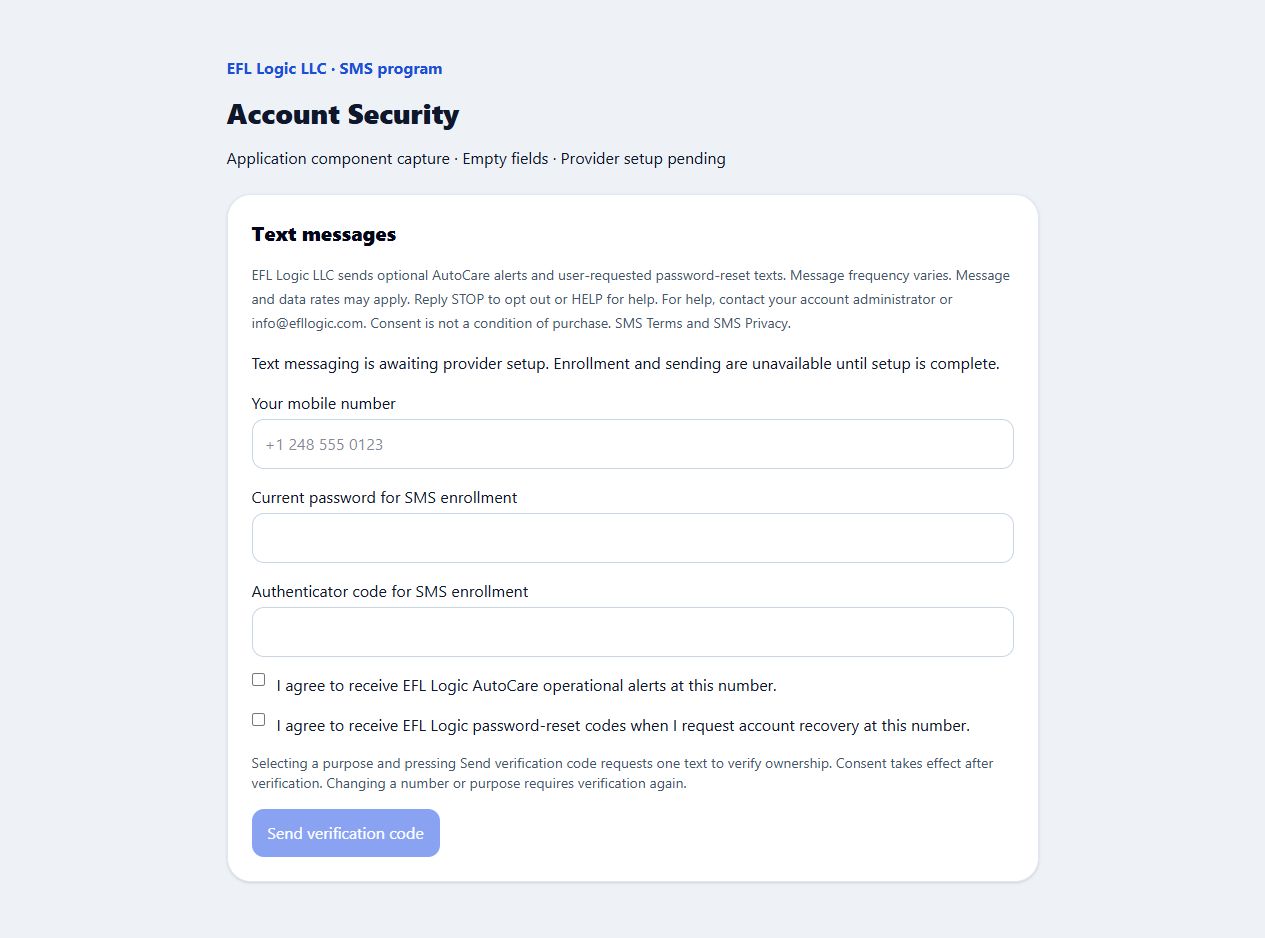
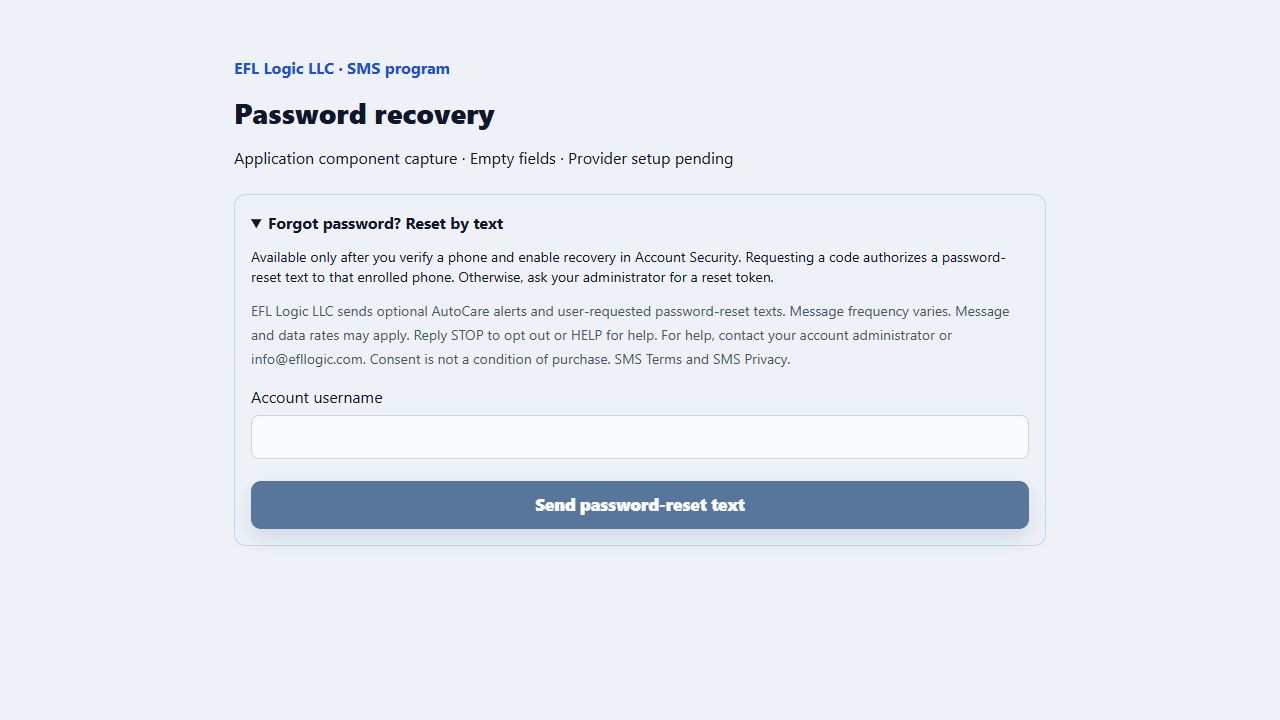
These screenshots show the application's existing consent and recovery components with empty fields. They were captured on September 7, 2026 in a local preview with sending disabled while provider setup was pending. This page explains the flow; it does not enroll a phone number or send messages.
1. Choose your text-message purposes
- Sign in to EFL Logic and open Account Security.
- Enter your mobile number and confirm your current password. Enter an authenticator code if your account has authenticator protection enabled.
- Select the optional consent box for requested password-reset codes, AutoCare alerts, or both. AutoCare consent is available only to administrators. Both boxes start unchecked.
- After SMS setup is enabled, select Send verification code to request a single phone-ownership verification text. Enter the eight-digit code and select Verify and save consent. Consent takes effect after verification. A change to the number or selected purposes requires verification again.
2. Request password recovery when needed
On the login screen, expand Forgot password? Reset by text, enter your account username, and select Send password-reset text. This requests a reset text only for an active account with a previously verified phone and password-recovery consent. Requesting recovery does not enroll a new phone.
The next step accepts the eight-digit text code and a new password. Codes expire after ten minutes and can be used only once. A completed reset ends existing sessions and retains authenticator protection.
Your choices and support
Message frequency varies. Message and data rates may apply. Consent is not a condition of purchase. Remove SMS enrollment and consent from Account Security, or reply STOP to block texts through the messaging provider. Reply HELP for help or email info@efllogic.com.
Replying START can lift a provider opt-out block; it does not create an EFL Logic account or replace the application's verified enrollment process.